

查看系统版本
uname -r
name -m
yum update -y
报错
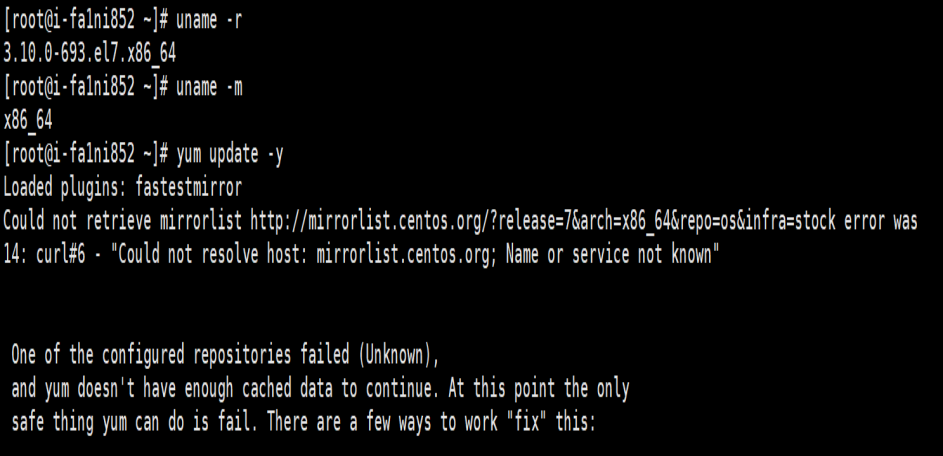
更改yum源
确保源已配置
ls /etc/yum.repos.d/

修改源配置
vi /etc/yum.repos.d/CentOS-Base.repo
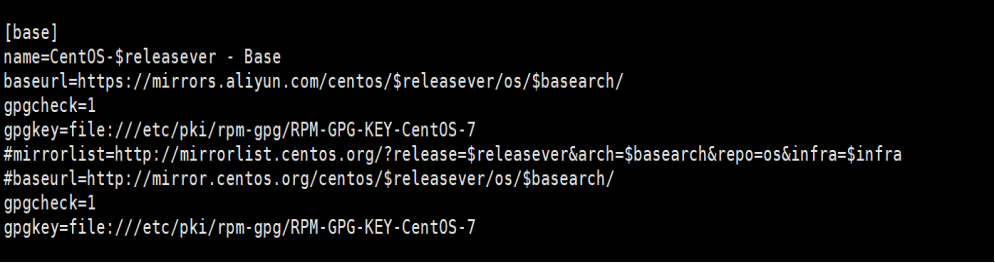
name=CentOS-$releasever - Base
baseurl=https://mirrors.aliyun.com/centos/$releasever/os/$basearch/
gpgcheck=1
gpgkey=file:///etc/pki/rpm-gpg/RPM-GPG-KEY-CentOS-7
请确保下面这行被注释掉(在前面加上#)
# mirrorlist=http://mirrorlist.centos.org/?release=$releasever&arch=$basearch&repo=os&infra=$infra
yum clean all
yum makecache
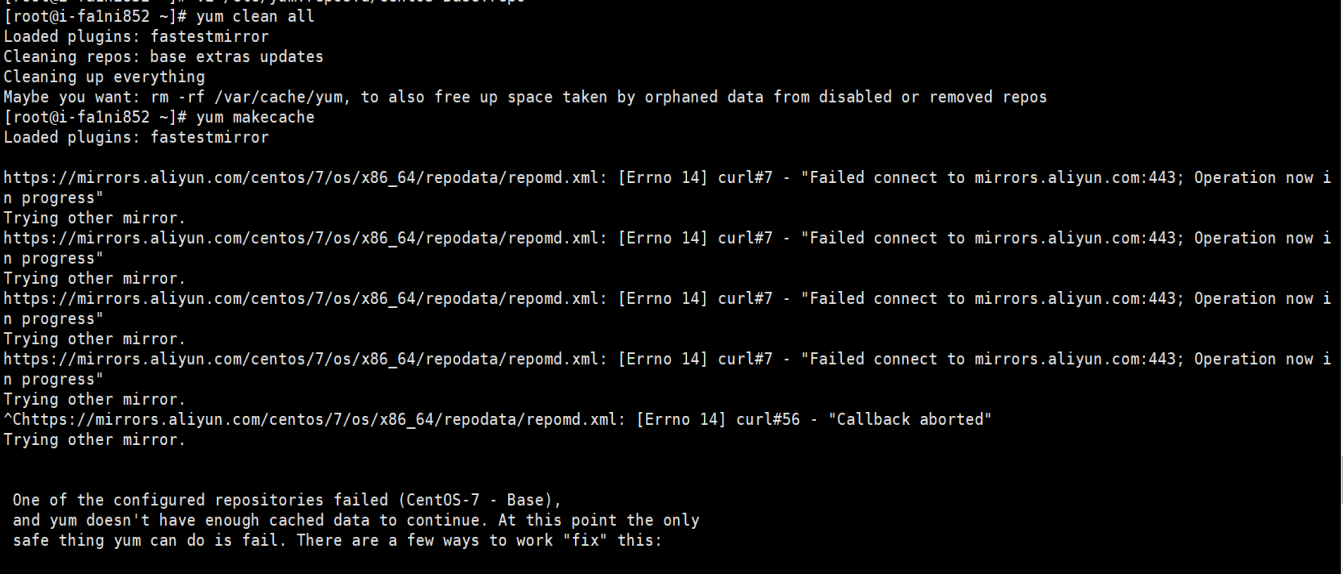
报错443端口
备份当前配置
cp /etc/yum.repos.d/CentOS-Base.repo /etc/yum.repos.d/CentOS-Base.repo.backup
修改协议为 HTTP
sed -i 's|https://mirrors.aliyun.com|http://mirrors.aliyun.com|g' /etc/yum.repos.d/CentOS-Base.repo
或者直接备份旧的配置
cp /etc/yum.repos.d/CentOS-Base.repo /etc/yum.repos.d/CentOS-Base.repo.backup
然后创建一个新的
vi /etc/yum.repos.d/CentOS-Base.repo
内容如下:
# CentOS-Base.repo
#
# The mirror system uses the connecting IP address of the client and the
# update status of each mirror to pick mirrors that are updated to and
# geographically close to the client. You should use this for CentOS updates
# unless you are manually picking other mirrors.
#
# If the mirrorlist= does not work for you, as a fall back you can try the
# remarked out baseurl= line instead.
#
#
[base]
name=CentOS-$releasever - Base - mirrors.aliyun.com
failovermethod=priority
baseurl=http://mirrors.aliyun.com/centos/$releasever/os/$basearch/
http://mirrors.aliyuncs.com/centos/$releasever/os/$basearch/
http://mirrors.cloud.aliyuncs.com/centos/$releasever/os/$basearch/
gpgcheck=1
gpgkey=http://mirrors.aliyun.com/centos/RPM-GPG-KEY-CentOS-7
#released updates
[updates]
name=CentOS-$releasever - Updates - mirrors.aliyun.com
failovermethod=priority
baseurl=http://mirrors.aliyun.com/centos/$releasever/updates/$basearch/
http://mirrors.aliyuncs.com/centos/$releasever/updates/$basearch/
http://mirrors.cloud.aliyuncs.com/centos/$releasever/updates/$basearch/
gpgcheck=1
gpgkey=http://mirrors.aliyun.com/centos/RPM-GPG-KEY-CentOS-7
#additional packages that may be useful
[extras]
name=CentOS-$releasever - Extras - mirrors.aliyun.com
failovermethod=priority
baseurl=http://mirrors.aliyun.com/centos/$releasever/extras/$basearch/
http://mirrors.aliyuncs.com/centos/$releasever/extras/$basearch/
http://mirrors.cloud.aliyuncs.com/centos/$releasever/extras/$basearch/
gpgcheck=1
gpgkey=http://mirrors.aliyun.com/centos/RPM-GPG-KEY-CentOS-7
#additional packages that extend functionality of existing packages
[centosplus]
name=CentOS-$releasever - Plus - mirrors.aliyun.com
failovermethod=priority
baseurl=http://mirrors.aliyun.com/centos/$releasever/centosplus/$basearch/
http://mirrors.aliyuncs.com/centos/$releasever/centosplus/$basearch/
http://mirrors.cloud.aliyuncs.com/centos/$releasever/centosplus/$basearch/
gpgcheck=1
enabled=0
gpgkey=http://mirrors.aliyun.com/centos/RPM-GPG-KEY-CentOS-7
#contrib - packages by Centos Users
[contrib]
name=CentOS-$releasever - Contrib - mirrors.aliyun.com
failovermethod=priority
baseurl=http://mirrors.aliyun.com/centos/$releasever/contrib/$basearch/
http://mirrors.aliyuncs.com/centos/$releasever/contrib/$basearch/
http://mirrors.cloud.aliyuncs.com/centos/$releasever/contrib/$basearch/
gpgcheck=1
enabled=0
gpgkey=http://mirrors.aliyun.com/centos/RPM-GPG-KEY-CentOS-7
然后yum安装
yum install -y docker
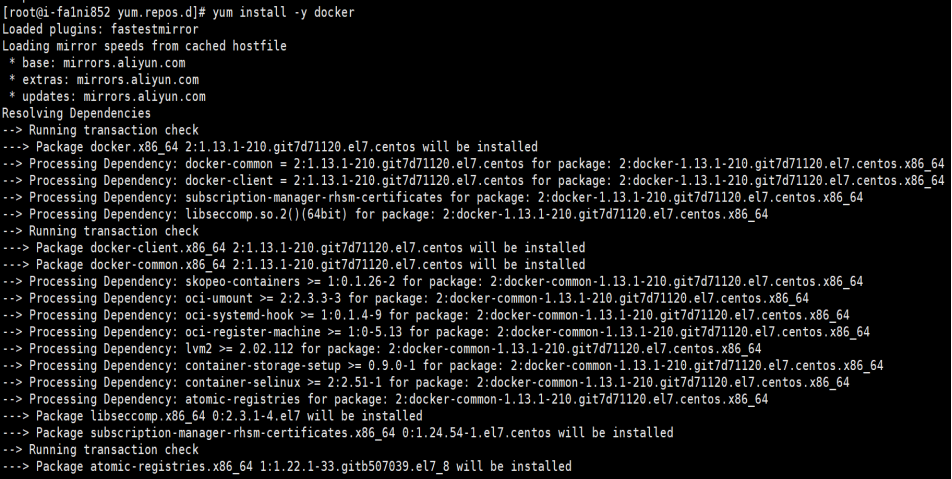
启动docker和加自启动

安装成功了,但功能不完整。无法从Docker Hub拉取镜像
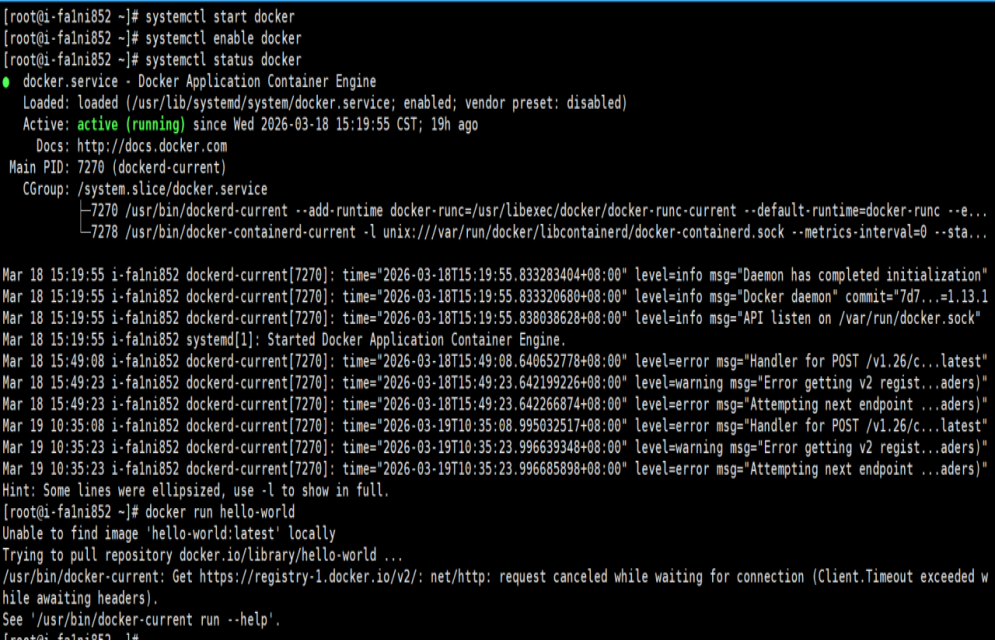
# 创建配置目录
sudo mkdir -p /etc/docker
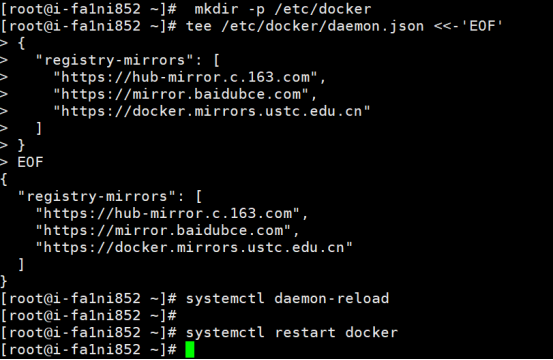
# 配置镜像加速器(使用国内镜像源)(红色那条测试可用的)
sudo tee /etc/docker/daemon.json <<-'EOF'
{
"registry-mirrors": [
“https://docker.1ms.run”
"https://hub-mirror.c.163.com",
"https://mirror.baidubce.com",
"https://docker.mirrors.ustc.edu.cn"
]
}
EOF
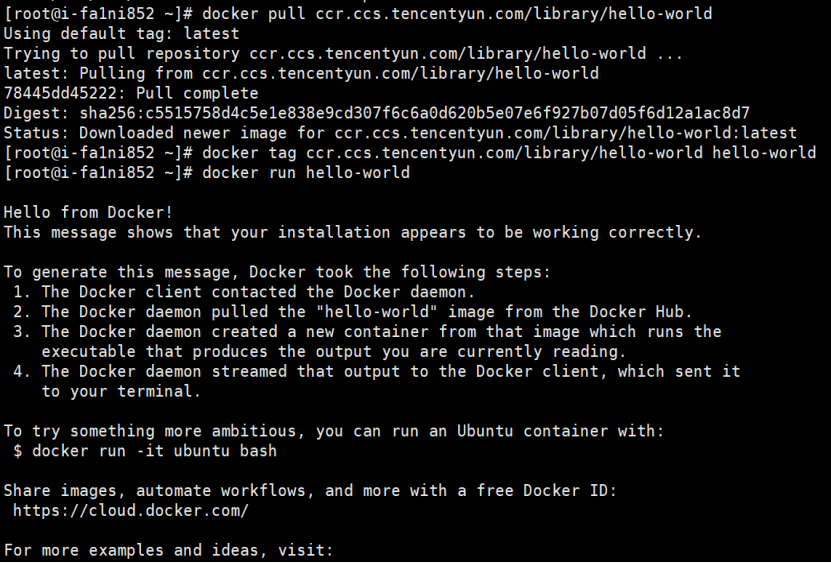
国内大部分镜像都不行了只有腾讯的可以用
docker pull registry.cn-hangzhou.aliyuncs.com/library/alpine:latest
docker tag registry.cn-hangzhou.aliyuncs.com/library/alpine:latest alpine
docker run alpine echo
建立自己的镜像拉取流程
cat > /usr/local/bin/dpull << 'EOF'
#!/bin/bash
IMAGE=$1
docker pull ccr.ccs.tencentyun.com/library/${IMAGE}
docker tag ccr.ccs.tencentyun.com/library/${IMAGE} ${IMAGE}
EOF
chmod +x /usr/local/bin/dpull
使用示例
dpull nginx
dpull redis
dpull mysql
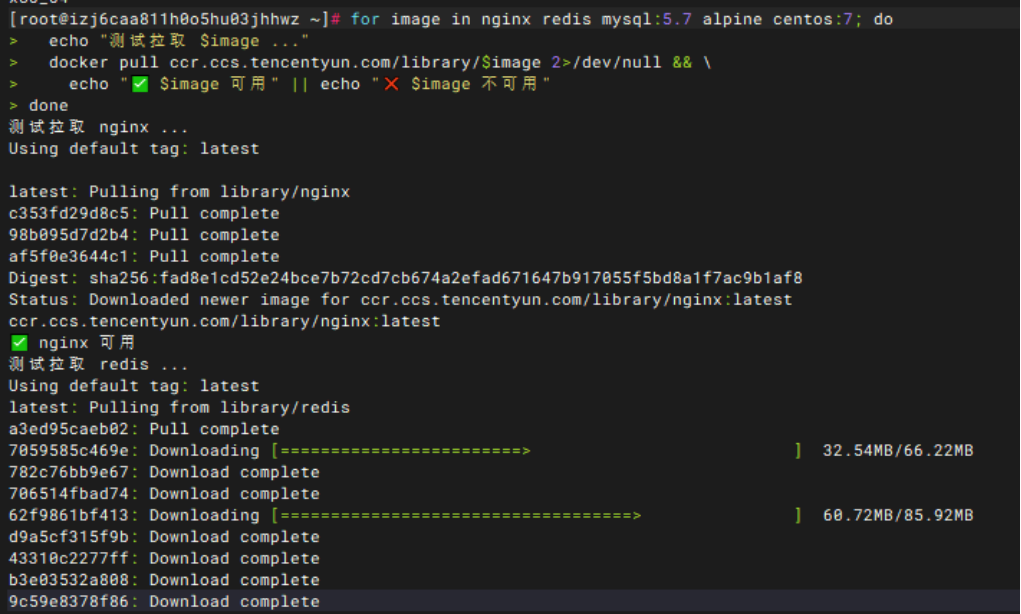
测试常用镜像是否可用
for image in nginx redis mysql:5.7 alpine centos:7; do
echo "测试拉取 $image ..."
docker pull ccr.ccs.tencentyun.com/library/$image 2>/dev/null && \
echo "✅ $image 可用" || echo "❌ $image 不可用"
done
 粤公网安备:44010402001679号


